


A winning business proposal isn’t a generic pitch—it’s a customized solution to your prospect’s specific problem. Whether you’re a freelancer, agency, or product vendor, your proposal is often the final hurdle between “maybe” and “yes.” Done right, it builds confidence, justifies your price, and makes saying “no” harder than saying “yes.”
Here’s how to build a business proposal that converts—step by step.
1. Start with Research (Not Writing)
Before you type a word, understand:
- Their pain points: What keeps them up at night?
- Their goals: What does success look like for them?
- Their budget & timeline: Are they ready to buy now?
- Decision-makers: Who needs to approve this?
Review their website, LinkedIn, recent news, or past conversations. The more tailored your proposal, the higher your win rate.
✅ Example: Instead of “We offer social media management,” write “We’ll help your eco-brand reach 10K engaged Instagram followers in 90 days—so you can launch your new product line with built-in demand.”

2. Use a Clear, Client-Centric Structure
Keep it scannable—most decision-makers skim. Include these 6 essential sections:
1. Cover Page
- Your logo + their company name
- Proposal title (“Social Media Growth Plan for GreenLeaf Co.”)
- Date + your contact info
2. Executive Summary (1 paragraph)
- Restate their problem
- Present your solution
- Highlight key outcome (“Increase qualified leads by 40% in 6 months”)
3. Understanding of Their Needs
Show you listened:
“You mentioned your current email campaigns have a 12% open rate—well below industry average. Our goal is to lift this to 25%+.”
4. Your Proposed Solution
Detail what you’ll do, how, and why it works:
- Phases or milestones
- Tools/methods you’ll use
- Timeline (with key dates)
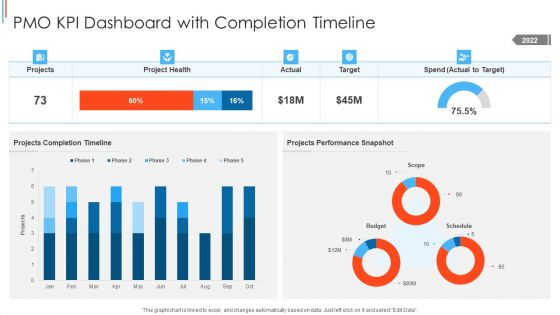
Use visuals: Gantt charts, service diagrams, or before/after mockups.
5. Pricing & Packages
Be transparent and confident:
- Offer 2–3 tiers (e.g., Basic, Pro, Premium)
- Break down costs (e.g., “Content Creation: $1,200/mo”)
- Include what’s not included (avoid scope creep)
💡 Tip: Anchor value first—price feels fair when ROI is clear.
6. Next Steps & Call to Action
Make approval easy:
“Sign and return by Friday to start on June 1. We’ve reserved your onboarding slot!”
Include a digital signature link (via DocuSign, PandaDoc, or HelloSign).
3. Design for Trust & Readability
- Length: 2–5 pages max (unless RFP requires more)
- Fonts: Clean (Arial, Calibri, Helvetica)
- Colors: Use your brand palette—subtly
- White space: Don’t cram text—use headings, bullet points, and margins
- Proofread: Typos kill credibility
🚫 Avoid jargon, fluff, or excessive self-promotion. Focus on their success.
4. Deliver with Confidence
- Send as a PDF (preserves formatting)
- Include a personalized cover email:“Hi [Name], loved our chat about [topic]. As promised, here’s how we’ll help you [achieve X]. Let’s hop on a quick call if you have questions!”
- Follow up in 48 hours if no reply
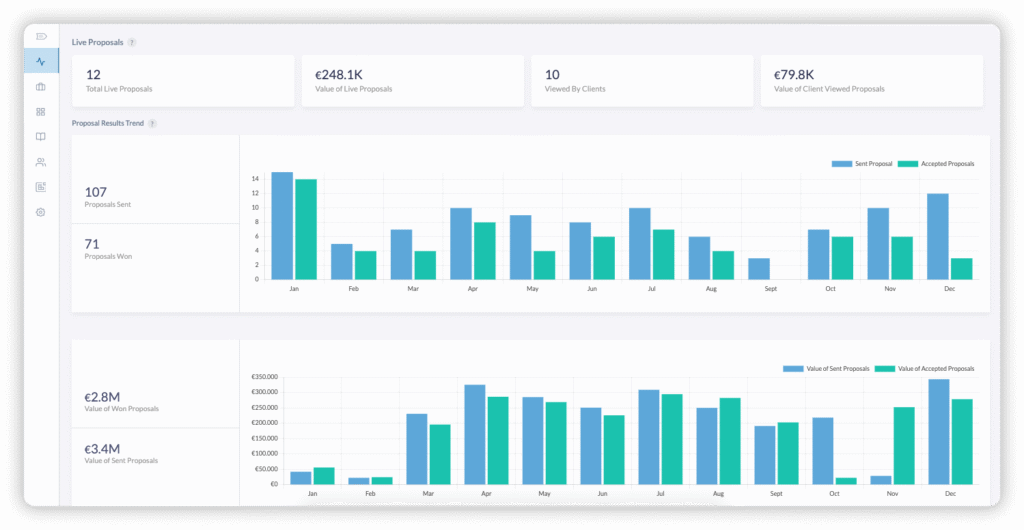
5. Track & Improve
After sending:
- Note which sections prospects ask about
- Track win/loss reasons
- Update your template monthly
A great proposal gets sharper with every use.
FAQs
Q: Should I include case studies or testimonials?
A: Yes—but only if relevant. Add a short “Past Results” section: “For [Similar Client], we increased web traffic by 150% in 4 months.”
Q: How do I handle pricing objections?
A: Preempt them by linking cost to ROI: “At $2,500/mo, this delivers a projected $15K in new sales—6x ROI.”
Q: Can I use a proposal template?
A: Absolutely! Start with a template (from PandaDoc, Proposify, or Google Docs), but always customize the problem, solution, and outcomes for each client. Generic = ignored.