



A great business plan template isn’t a 30-page document gathering dust—it’s a living, one-page roadmap that aligns your team, clarifies priorities, and evolves with your business. Whether you’re pitching investors, applying for a loan, or just staying focused, a lean template saves time and drives action.
Here’s how to build a practical, customizable business plan template you’ll actually use.
1. Start with the One-Page Lean Canvas (Not a Novel)
Ditch the traditional 20-page plan. Use the Lean Business Plan format—inspired by the Lean Canvas—to fit everything critical on one page. This keeps you focused on what matters: problem, solution, and traction.
✅ Why it works: Investors and lenders now prefer concise, data-driven summaries. The SBA and banks accept lean plans for loans under $150K.

2. Include These 8 Essential Sections
Build your template with these fields (use a table or labeled boxes):
1. Business Name & Date
- Your official business name
- Plan version date (e.g., “Q2 2024”)
2. Problem
- The top 1–3 pains your target customer faces
- Use real quotes if possible: “I waste 10 hours/week on scheduling.”
3. Solution
- Your product/service in 1–2 sentences
- What makes it unique? (e.g., “AI-powered, no setup required”)
4. Target Market
- Ideal customer profile (e.g., “Freelancers earning $50K+”)
- Market size (e.g., “2M+ in the U.S.”)
5. Revenue Model
- How you make money:
- Pricing (e.g., “$29/month subscription”)
- Sales channels (e.g., “Website, Instagram, referrals”)
6. Marketing Strategy
- Your top 1–2 customer acquisition tactics
- Example: “Organic Instagram + email lead magnet”
7. Key Metrics
- Track what matters:
- Customer Acquisition Cost (CAC)
- Lifetime Value (LTV)
- Monthly Recurring Revenue (MRR)
- Break-even point
8. Funding Needs (If Applicable)
- Amount needed
- How it will be used (e.g., “$10K for inventory + ads”)
- Expected ROI or milestone (e.g., “Scale to $5K/mo revenue in 6 months”)
3. Make It Visual & Scannable
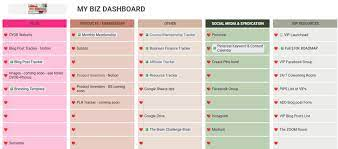
- Use bold headers, bullet points, and white space
- Keep text minimal—1–3 lines per section
- Add your logo and brand colors for professionalism
- Leave room for notes or updates in the margins
💡 Pro Tip: Create it in Google Docs, Notion, or Canva so you can easily duplicate and update quarterly.
4. Add an Optional Appendix (For Loans or Investors)
If applying for funding, attach a separate 1–2 page appendix with:
- Financial projections: 12-month profit & loss, cash flow
- Resumes of key team members
- Market research data or customer testimonials
- Legal structure and licenses
But keep the main template lean and skimmable.
5. Test & Refine Your Template
- Use it to plan your next quarter
- Share with a mentor for feedback
- Update it every 90 days as you learn
A great template evolves with your business—it’s not set in stone.
6. Bonus: Free Tools to Build Your Template Fast
- LivePlan (paid, but offers templates)
- SCORE.org (free SBA-approved templates)
- Canva (drag-and-drop design)
- Notion (free, collaborative, and customizable)
Start with one, then personalize it to your business.
FAQs
Q: How long should my business plan template be?
A: The core template should fit on one page. Add a 1–2 page appendix only for formal funding requests.
Q: Can I use the same template for different businesses?
A: Yes! The structure works for service businesses, e-commerce, freelancing, and more—just update the content.
Q: Do banks accept one-page business plans?
A: For microloans (<$50K) and SBA Express loans, yes—especially if paired with solid financials. For larger loans, add a brief appendix with projections.