



Your LinkedIn Business Page is more than a digital placeholder—it’s a 24/7 ambassador for your brand, a lead generator, and a talent magnet. With over 61 million decision-makers on LinkedIn, a well-optimized page can open doors to B2B clients, partnerships, and top-tier hires. Here’s how to build one that stands out.
1. Claim and Verify Your Page
Start by creating a LinkedIn Company Page (free) under your personal profile. You’ll need:
- A company email domain (e.g., you@yourbusiness.com )
- At least one employee listed on LinkedIn
- Admin access to your website (for verification)
Verification adds a green checkmark, boosting trust and visibility in search results.

2. Optimize Every Section for Clarity & SEO
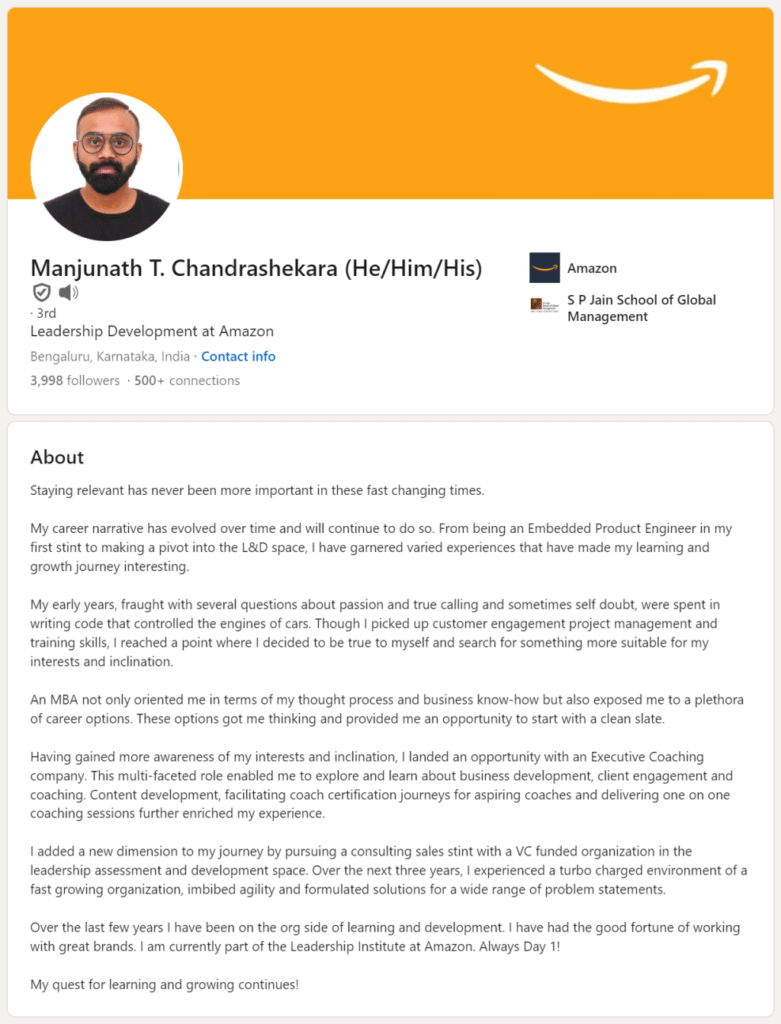
Profile Photo: Use your high-resolution logo (300×300 px).
Banner Image: Design a custom banner (1584×396 px) that reflects your brand—show your team, product, or mission.
About Section: Write a compelling 1–2 paragraph summary using keywords your audience searches for (e.g., “sustainable packaging solutions for e-commerce brands”). Include:
- What you do
- Who you serve
- Your unique value
- A clear CTA (“Visit our website,” “Contact us”)
3. Showcase Products, Services, and Life
Use LinkedIn’s built-in tabs:
- Products & Services: Add high-quality images, descriptions, and links. Great for B2B offerings.
- Life Tab: Share behind-the-scenes photos, team events, or office culture. Humanizes your brand.
- Jobs Tab: Automatically pulls from your careers page—critical for recruitment.
Keep content professional but personable. Think “trusted advisor,” not “sales brochure.”
4. Post Consistently and Engage Authentically
A static page gathers dust. Post 1–2 times per week with:
- Industry insights
- Customer success stories
- Team spotlights
- Thought leadership articles
Respond to comments, thank followers, and engage with other company pages. LinkedIn’s algorithm rewards active, two-way conversations.
FAQs
Q: Do I need a personal LinkedIn profile to create a Company Page?
A: Yes. You must be logged into a personal profile with a confirmed email to set up and manage a Company Page.
Q: Can I run ads from my LinkedIn Business Page?
A: Yes! Once your page is live, you can launch Sponsored Content, Message Ads, or Dynamic Ads directly through LinkedIn Campaign Manager.
Q: How do I get more followers for my Company Page?
A: Invite employees to follow and share it, add the LinkedIn follow button to your website/email, and consistently post valuable content that encourages engagement.
A strong LinkedIn Business Page builds authority, drives traffic, and turns passive viewers into clients or advocates. Invest time upfront to set it up right—and keep it alive with purposeful content. In the world of professional networking, your page isn’t just a profile—it’s your reputation.