

A business directory website is a powerful digital hub that aggregates local or niche businesses in one place—think Yelp, Yellow Pages, or niche platforms like “VeganEatsNearMe.” Not only does it serve your community, but it also offers multiple revenue streams: featured listings, ads, subscriptions, and lead generation. With WordPress and the right tools, you can launch one in days—not months. Here’s how.
1. Define Your Niche and Audience
“Local businesses” is too broad. Narrow your focus to stand out:
- Geographic: “Austin Pet Services”
- Industry-specific: “Women-Owned Tech Startups”
- Lifestyle: “Eco-Friendly Home Services”
A targeted directory attracts loyal users and higher-value listings.

2. Choose the Right Platform and Hosting
WordPress is ideal—it’s flexible, SEO-friendly, and powers 43% of all websites.
- Use managed WordPress hosting (SiteGround, WP Engine) for speed and security
- Install an SSL certificate (free with most hosts) for trust and SEO
Avoid website builders like Wix—they lack the plugin ecosystem needed for advanced directory features.
3. Install a Directory Plugin
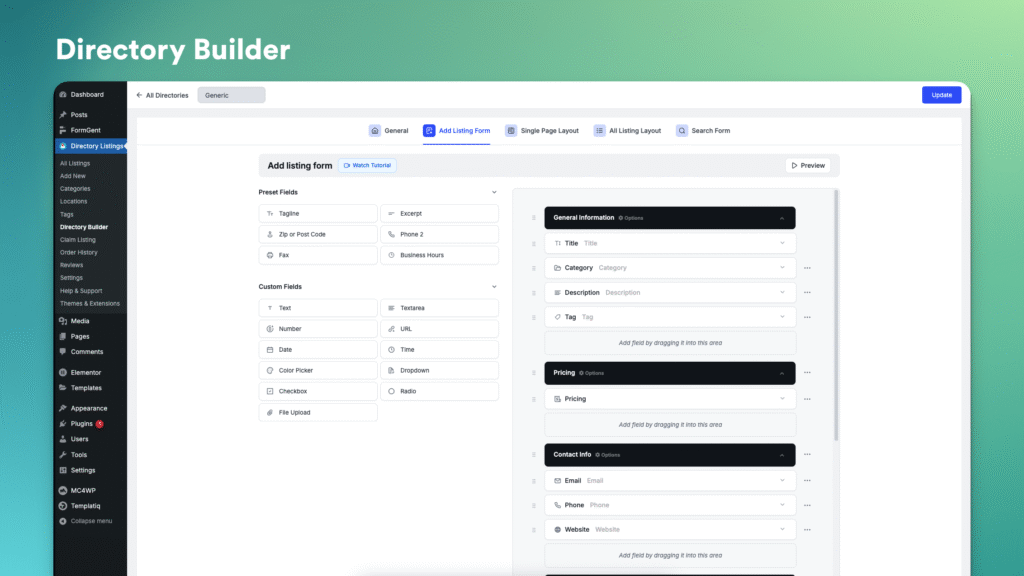
These plugins turn WordPress into a full-featured directory:
- Directorist (free + premium): User submissions, maps, reviews, booking
- GeoDirectory (freemium): Location-based filtering, claims, monetization
- Business Directory Plugin by AIT: Great for multilingual sites
Key features to enable:
- Business listings with photos, hours, and contact info
- Google Maps integration
- Star ratings and reviews
- Claim listing functionality
4. Design for Search and User Experience
Your directory must be easy to navigate and fast to load:
- Use a clean, mobile-responsive theme (Astra, Kadence)
- Place a prominent search bar with category + location filters
- Show listings in grid or map view
- Add schema markup (via plugin) so Google displays rich results
Prioritize speed—slow directories lose users fast.

5. Monetize from Day One
Build revenue into your model early:
- Featured listings: Charge for top placement or badges
- Subscription tiers: Basic (free), Pro ($10/mo), Premium ($25/mo with booking)
- Pay-per-lead: Charge businesses when users request quotes
- Banner ads: Sell space to complementary services
Use WooCommerce + directory plugin to handle payments seamlessly.
FAQs
Q: Can businesses submit their own listings?
A: Yes! Most directory plugins allow public submissions with admin approval—great for scaling content without manual entry.
Q: How do I get businesses to join my new directory?
A: Start with 20–50 high-quality listings yourself (scrape public data or invite local contacts). Offer free featured placement for the first 3 months to early adopters.
Q: Is SEO important for a directory site?
A: Critical. Each listing is a potential SEO page. Optimize titles (“Best Plumbers in Denver | YourDirectory”), add location-based content, and earn backlinks from listed businesses.
A well-built business directory solves a real problem—helping people find trusted services—while creating a scalable, recurring revenue stream. With WordPress, smart plugins, and a focused niche, you can launch a valuable community resource that grows more valuable over time. Start small, validate demand, and build your directory into a local (or niche) powerhouse.