
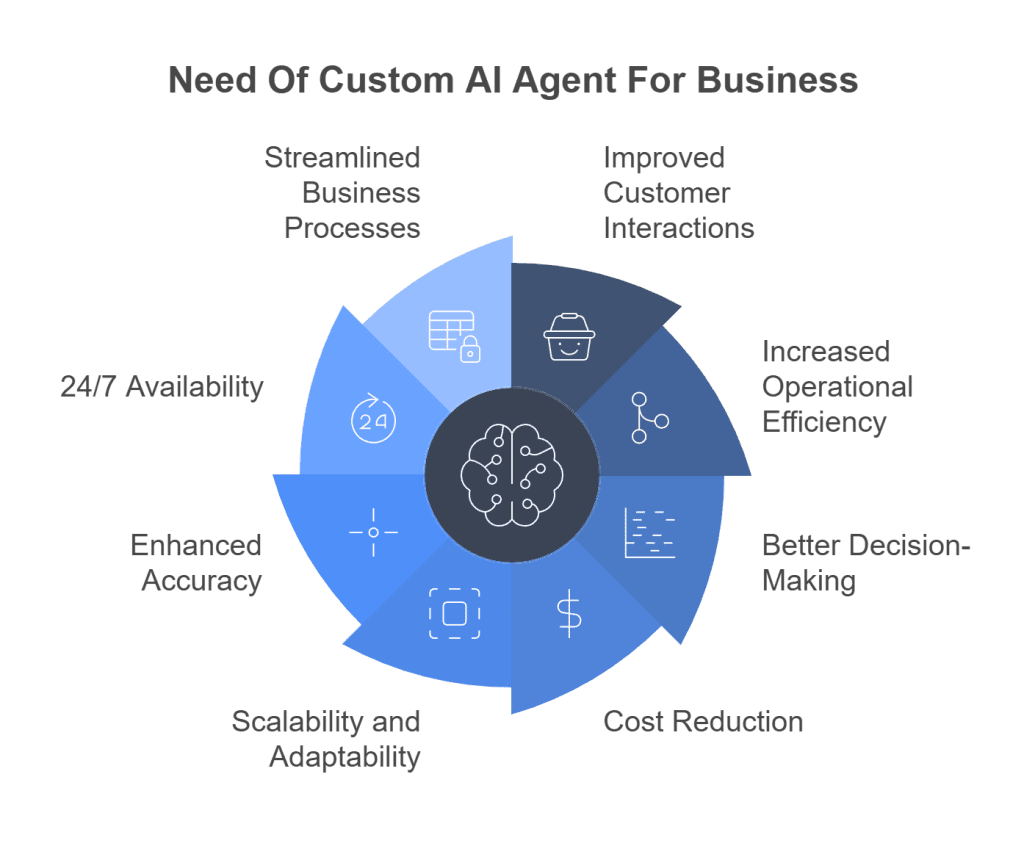
AI agents aren’t just chatbots—they’re autonomous digital workers that can think, act, and adapt. Unlike static automation, AI agents use large language models (LLMs) to make decisions, complete multi-step tasks, and even collaborate with other agents. For entrepreneurs, this means you can now build businesses that operate 24/7 with minimal human intervention. Here’s how to start (read time: 3–4 minutes).
1. Understand What AI Agents Can Do
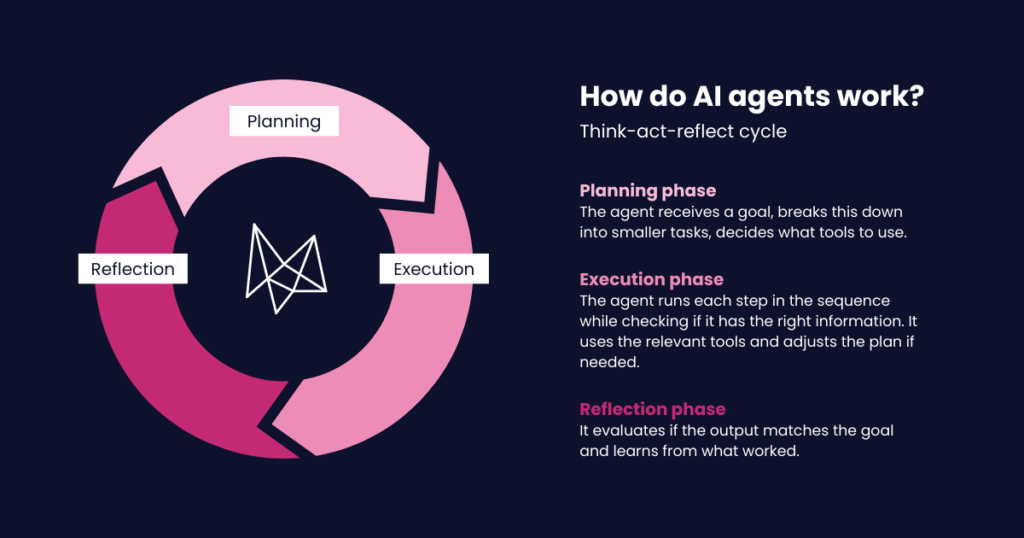
An AI agent is an AI system that:
- Perceives input (emails, forms, data)
- Reasons using goals and context
- Acts by calling tools (email, calendar, APIs, databases)
- Learns from feedback over time
Real-world agent roles:
- Sales Agent: Qualifies leads, books calls, follows up
- Support Agent: Resolves tickets, processes returns, updates CRM
- Research Agent: Scans markets, summarizes trends, finds prospects
- Operations Agent: Manages inventory, schedules tasks, tracks KPIs

2. Start with a High-Leverage Use Case
Don’t automate everything—start where AI delivers immediate ROI:
- Lead qualification: Agent chats with website visitors, scores leads, books demos
- Customer onboarding: Guides new users through setup via email or SMS
- Content repurposing: Turns a podcast into blog posts, social clips, and newsletters
- Competitor monitoring: Scans websites weekly and sends you a digest
💡 Ideal businesses: SaaS, e-commerce, agencies, coaching, local services.
3. Choose Your Agent Platform
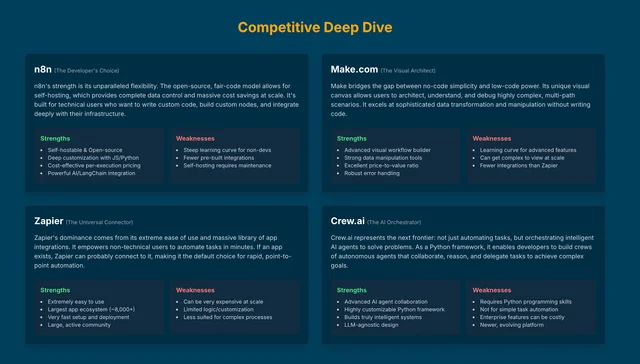
You don’t need to code from scratch. Use no-code/low-code platforms:
- CrewAI (open-source, Python-based): Build teams of collaborative agents
- LangGraph (by LangChain): Design stateful, multi-agent workflows
- n8n + LLM nodes: Visual automation with AI decision-making
- Zapier Interfaces + AI: Turn forms into agent-triggered actions
- Custom GPTs (via OpenAI): Simple agents for specific tasks (e.g., “Support Helper”)
4. Design for Human-in-the-Loop Safety
AI agents aren’t perfect. Build guardrails:
- Escalate to human on complex or emotional queries
- Require approval for high-stakes actions (e.g., refunds >$100)
- Log all actions for auditing and improvement
- Test rigorously with real-world scenarios before going live
💡 Best practice: Start with assisted automation (AI drafts, human approves), then move to full autonomy.
5. Package and Monetize Your Agent-Powered Service
Turn your AI system into a sellable offering:
- “Done-For-You” AI Service: “We’ll manage your customer support with our AI team”
- White-Label Agent: License your agent to other businesses
- AI-Powered Product: Embed agents into a SaaS tool (e.g., “Auto-Responder Pro”)
Price based on value delivered (e.g., $500/month for 24/7 lead follow-up that books 10+ calls).
Final Tip
AI agents amplify your strategy—they don’t replace it. Start with one well-defined job, prove it works, then expand. The future belongs to founders who treat AI not as a tool, but as a team.
FAQs
Q: Do I need coding skills to build AI agents?
A: Not necessarily. Platforms like Zapier, Make, and OpenAI’s GPTs allow no-code agent creation. For advanced use, basic Python helps—but many tools are becoming more accessible.
Q: Can AI agents replace my entire team?
A: Not yet—but they can handle 30–70% of repetitive, rule-based tasks, freeing your human team for high-value work like creativity, empathy, and strategy.
Q: Are AI agents expensive to run?
A: Costs are low for most small businesses. A typical agent might cost $10–$50/month in API fees (e.g., OpenAI, Anthropic). Compare that to $3,000+/month for a full-time employee.