

Business Intelligence (BI) has evolved far beyond static charts and monthly reports. Today, AI supercharges BI by turning historical data into real-time foresight, automating analysis, and making insights accessible to everyone—not just data scientists. Whether you’re tracking sales, customer behavior, or operational efficiency, AI-enhanced BI helps you act faster and smarter. Here’s how to harness it effectively.
1. Automate Data Preparation & Integration
AI eliminates the biggest BI bottleneck: messy, siloed data.
- Smart data connectors (in Power BI, Tableau, Looker) auto-sync data from CRMs, ERPs, spreadsheets, and cloud apps.
- AI-powered data cleaning (e.g., Microsoft Power Query AI, Alteryx Intelligence) detects outliers, fills gaps, and standardizes formats without manual rules.
Result: Your dashboards update in real time—no more waiting for IT or analysts to prep data.

2. Ask Questions in Plain Language
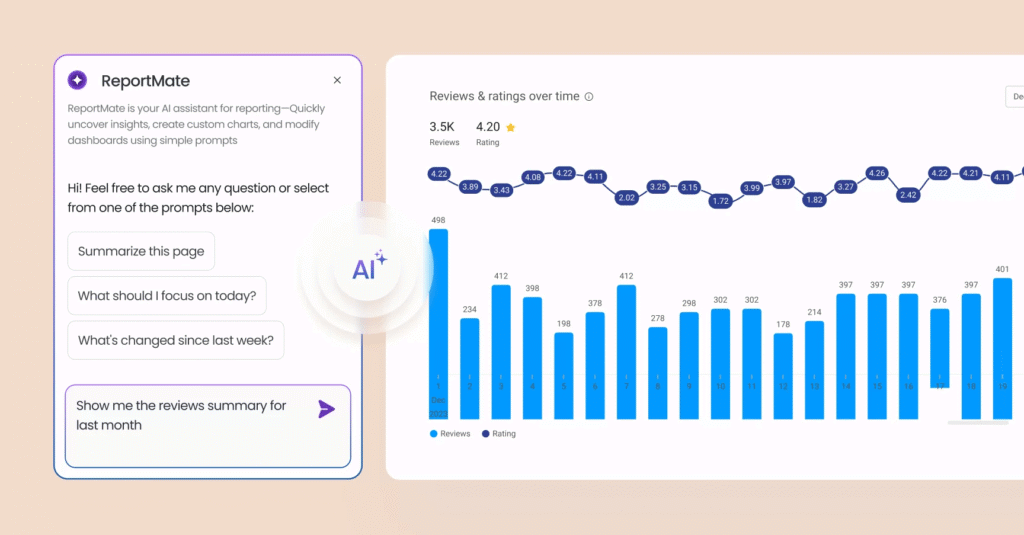
No more writing complex queries. AI enables natural language analytics:
- Type or speak: “Show me top-performing products in California last quarter”
- Tools like Power BI Q&A, Tableau Ask Data, or ThoughtSpot instantly generate charts and tables.
- Employees across marketing, sales, or finance can explore data independently—democratizing insights.
This turns BI from a specialist tool into an everyday decision engine.
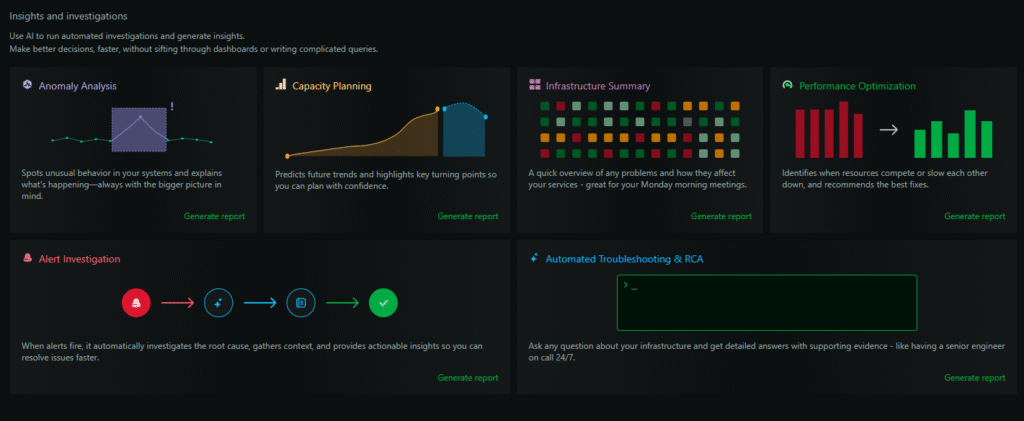
3. Detect Anomalies & Hidden Trends Automatically
AI spots what humans miss in massive datasets:
- Anomaly detection flags unexpected changes: “Website traffic dropped 40% today—unusual for Tuesdays.”
- Pattern recognition uncovers correlations: “Customers who buy Product A + watch Tutorial Video have 3x higher retention.”
- Drill-down suggestions (e.g., in Qlik Sense) auto-recommend “You might also want to see regional breakdowns.”
These insights surface proactively—no manual slicing required.
4. Predict the Future with Embedded Forecasting
Move from reporting to prescience:
- AI forecasting in Power BI, Google Looker Studio, or Sisense predicts sales, churn, inventory needs, or campaign performance using time-series models.
- Adjust variables interactively: “What if we increase ad spend by 20% in Q3?” → AI simulates outcomes instantly.
- Forecasts update automatically as new data flows in—keeping plans agile.
Example:
AI predicts a 15% dip in Q4 renewals → Customer Success launches targeted check-ins → Churn reduced by 8%.

5. Generate Automated Insights & Narratives
Stop writing repetitive reports. AI does it for you:
- Microsoft Copilot in Power BI or Tableau’s Explain Data auto-generates plain-English summaries:“Revenue grew 12% MoM, driven by Enterprise segment in EMEA.”
- Schedule AI-powered email digests that highlight only the most relevant changes for each stakeholder.
This ensures leaders get timely, personalized insights—without dashboard overload.
FAQs
Q: Do I need to replace my current BI tool to use AI?
A: No. Leading platforms like Power BI, Tableau, and Looker have AI features built in. Start by enabling “AI Insights” or “Smart Narratives” in your existing setup.
Q: Is AI in BI accurate enough for strategic decisions?
A: AI augments—not replaces—human judgment. Always validate predictions with domain expertise and use AI as a hypothesis generator, not an oracle.
Q: How do I get my team to adopt AI-powered BI?
A: Start with quick wins: automate one manual report or enable natural language Q&A. Show how AI saves time and reveals new opportunities—adoption follows value.
AI transforms Business Intelligence from a rearview mirror into a forward-looking radar. By automating analysis, predicting outcomes, and making insights conversational, AI empowers every leader to make faster, smarter decisions. The future of BI isn’t just visual—it’s intelligent, intuitive, and proactive. Start small, leverage your existing tools, and let AI turn your data into your greatest competitive advantage.