

WhatsApp isn’t just for personal chats—it’s a powerful business channel with 2 billion+ users and high engagement (98% open rates). When combined with AI, WhatsApp Business becomes a 24/7 sales, support, and marketing engine. From instant replies to lead qualification, AI helps you deliver fast, personalized experiences at scale—without hiring a large team. Here’s how to use AI effectively on WhatsApp for business.
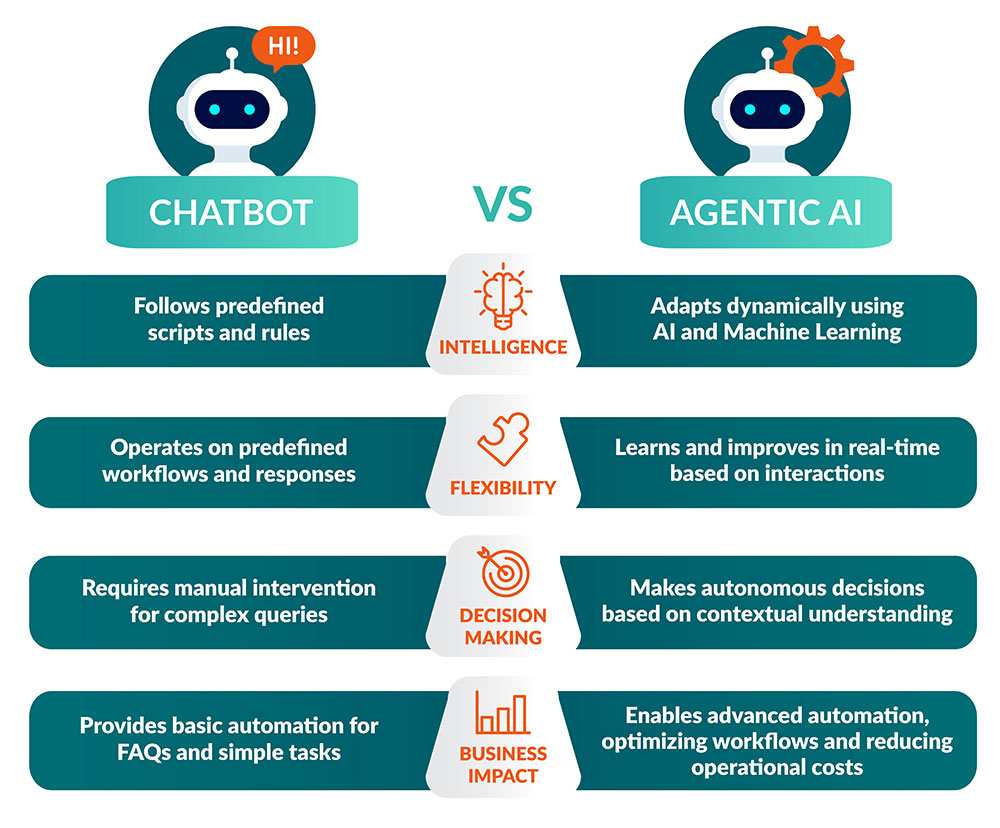
1. Set Up WhatsApp Business API with an AI Chatbot
Start with the WhatsApp Business Platform (API)—not just the free app—to unlock automation and AI:
- Use official WhatsApp Business Solution Providers (BSPs) like Twilio, MessageBird, Respond.io, or Wati
- Connect an AI chatbot (via Dialogflow, Botpress, or built-in AI from your BSP) to handle conversations
Key capabilities:
- Answer FAQs (“What are your hours?”)
- Share product catalogs
- Book appointments
- Collect contact info
Result: Reduce response time from hours to seconds—even outside business hours.
2. Qualify and Route Leads Automatically
Turn casual chats into sales opportunities:
- AI asks qualifying questions:
“Are you looking for residential or commercial cleaning?”
“What’s your budget range?” - Based on answers, AI tags leads (e.g., “Hot,” “Needs Follow-Up”) and routes them to the right sales rep
- Sync lead data to your CRM (HubSpot, Zoho, Salesforce) automatically
Example:
A furniture store uses AI to ask, “Which room are you furnishing?” → Sends relevant catalog → Books a showroom visit.
3. Send Personalized, AI-Optimized Broadcasts
Go beyond bulk messaging:
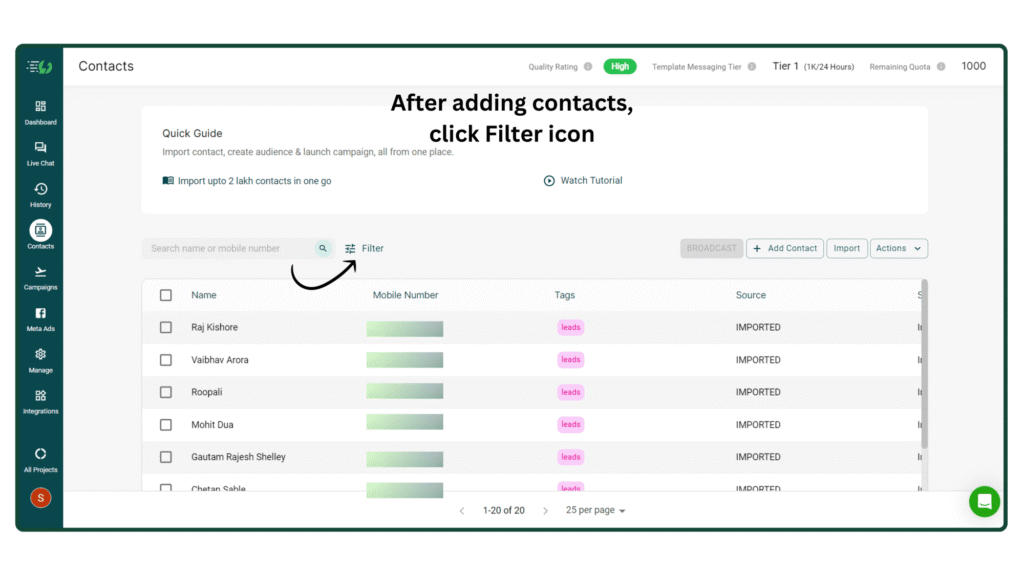
- Use AI to segment your audience (e.g., “Customers who bought in last 30 days”)
- Generate personalized message copy with AI tools (e.g., Jasper, Copy.ai)
- Schedule trigger-based messages:
- Abandoned cart reminders
- Post-purchase check-ins
- Birthday offers
Compliance tip: Always get opt-in and include easy unsubscribe options (required by WhatsApp policy).
4. Analyze Conversations for Insights
AI doesn’t just talk—it listens and learns:
- Sentiment analysis: Flags frustrated customers for urgent follow-up
- Topic detection: Identifies common questions (e.g., “shipping delays”) so you can improve operations
- Performance reports: Tracks response time, resolution rate, and conversion from chat
Use these insights to refine your bot, train staff, and spot product issues early.
5. Integrate with Your Business Tools
Make WhatsApp part of your ecosystem:
- E-commerce: Shopify, WooCommerce → Send order updates, collect reviews
- CRM: Auto-create contacts and log conversations
- Calendly: Let customers book calls via WhatsApp
- Payment links: Send secure payment requests (via Stripe, Razorpay)
This turns WhatsApp into a full-fledged customer journey channel.
FAQs
Q: Can I use AI with the free WhatsApp Business app?
A: Limited. The free app offers quick replies and labels—but for true AI chatbots, you need the WhatsApp Business API via a BSP (starts at ~$20–$100/month).
Q: Is it spammy to message customers on WhatsApp?
A: Not if you follow WhatsApp’s rules:
- Only message users who opted in
- Provide clear value (support, updates, offers)
- Include an easy way to opt out
When done right, customers prefer WhatsApp over email or calls.
Q: How do I avoid the “robot” feel?
A: Design your bot to:
- Use your brand voice (“Hey there! 👋”)
- Hand off smoothly to humans when needed
- Add emojis, images, and buttons for a human-like flow
AI should feel helpful—not robotic.
AI-powered WhatsApp Business turns every message into an opportunity—whether it’s answering a question at 2 a.m., qualifying a hot lead, or nurturing a loyal customer. By combining WhatsApp’s intimacy with AI’s intelligence, you build trust, save time, and drive revenue—all in the app your customers already use daily. Start small, stay compliant, and let AI handle the routine—so you can focus on relationships that matter.