

What Is Anthropic Prompt Engineering?
Anthropic prompt engineering refers to the practice of crafting and refining input prompts to get the most accurate, relevant, and high-quality responses from Claude , the powerful large language model developed by Anthropic .
Whether you’re using Claude 3 , Claude 2.1 , or any version in the series, how you phrase your request has a significant impact on the output. Effective prompt engineering helps you guide the AI to understand your intent, tone, format, and context—leading to smarter, more useful results.
Think of it as learning the “language” that AI understands best—so you can work faster, create better content, and solve problems more efficiently.
Why Prompt Engineering Matters for Anthropic’s Claude
Claude is known for its strong reasoning, visual analysis, and conversational abilities. However, like all AI models, it responds best to well-structured prompts .
Here’s why prompt engineering is essential when working with Claude :
✅ Improves accuracy and clarity
✅ Reduces back-and-forth iterations
✅ Enhances creativity and problem-solving
✅ Supports developers, marketers, writers, and businesses
With the right prompting strategies, you can:
- Generate high-quality articles, emails, and social posts
- Analyze complex documents and spreadsheets
- Write and debug code
- Build chatbots and automation tools
- Conduct research and summarize insights
Core Principles of Anthropic Prompt Engineering
To get the most out of Claude , follow these foundational principles when crafting your prompts:
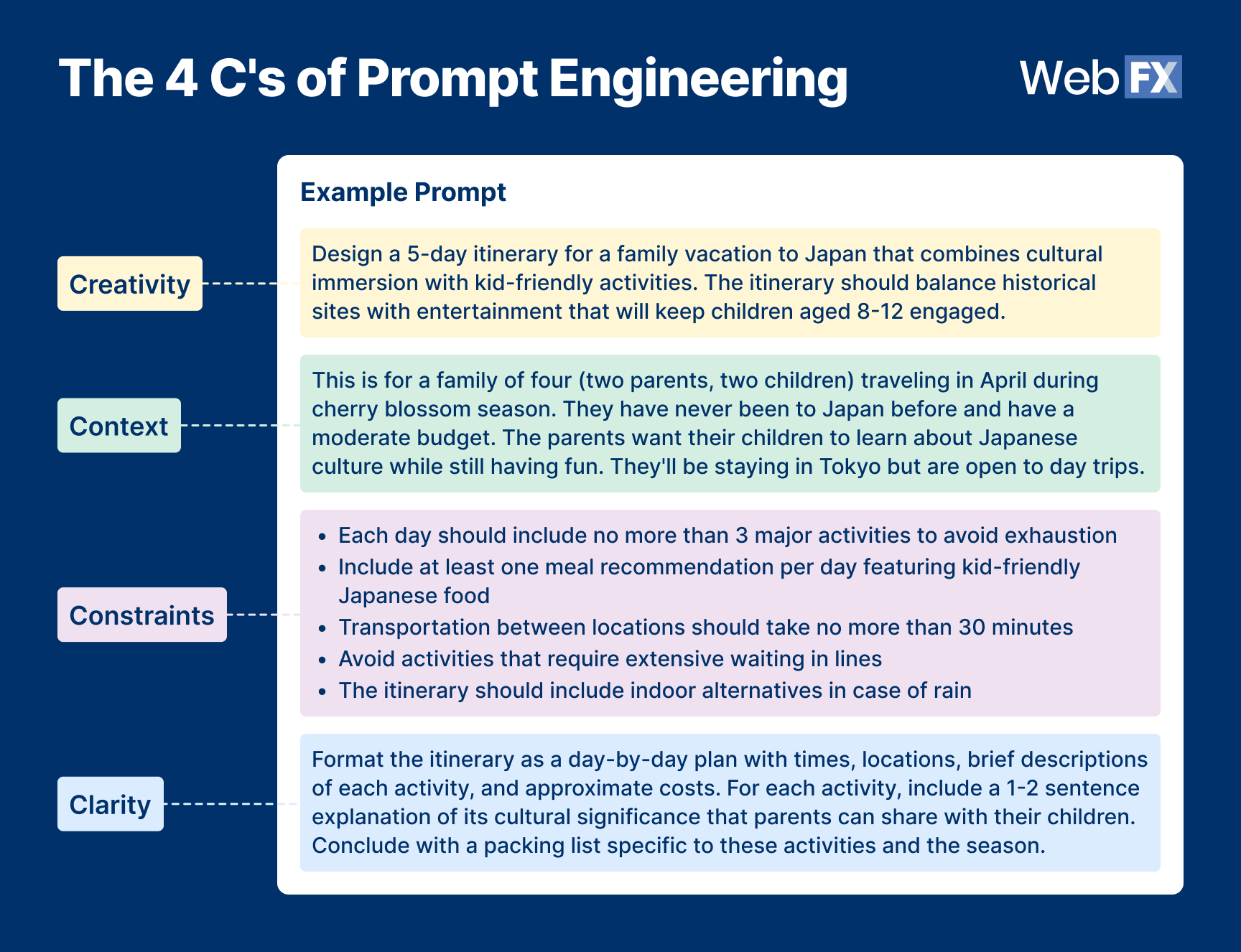
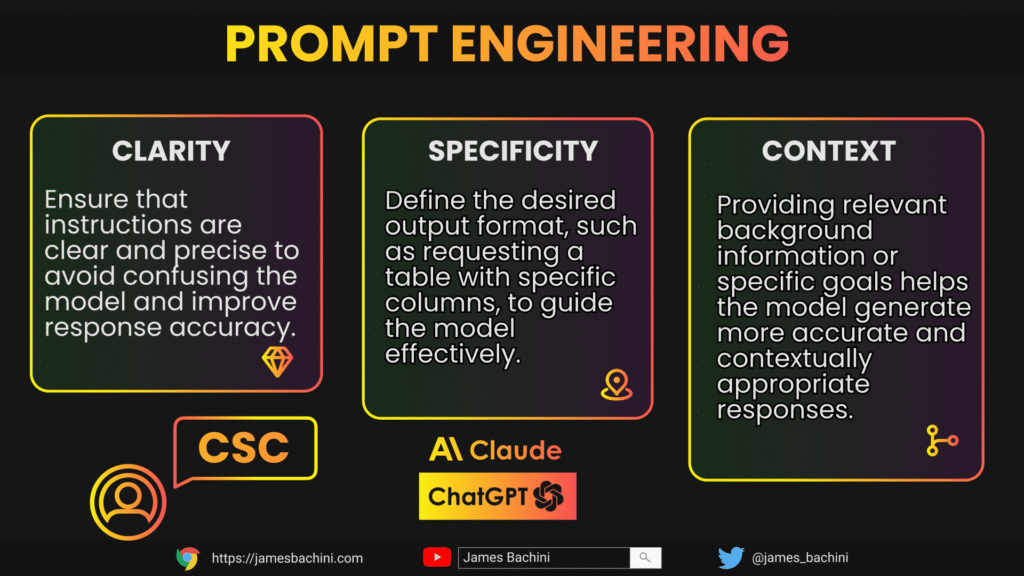
1. Be Clear and Specific
Avoid vague instructions. The more specific your query, the better the output.
❌ “Tell me something about AI.”
✅ “Explain how AI is used in modern healthcare diagnostics.”
2. Provide Context
Give background information so the AI understands the situation or audience.
Example:
“You are a financial advisor explaining cryptocurrency to a first-time investor.”
3. Define the Role or Persona
Assign a role to influence the tone and depth of the response.
Example:
“Act as a tech journalist writing a review of the latest Pixel phone.”
4. Structure Your Request
Use formatting like lists, bullet points, tables, or numbered steps to make your request easier to follow.
Example:
“List 5 benefits of renewable energy, each with a short explanation.”
5. Set Constraints
Help the AI stay focused by setting limits on word count, format, or complexity.
Example:
“Summarize this article in under 100 words without technical jargon.”
Advanced Prompt Engineering Techniques for Claude
Once you’ve mastered the basics, try these advanced strategies to unlock deeper insights and functionality:
🔄 Iterative Prompting
Refine your prompt based on the AI’s initial response. Ask clarifying questions or request rewrites.
🧩 Chain-of-Thought (CoT) Prompting
Encourage the AI to think step-by-step before giving an answer.
Example:
“Solve this math problem step by step: 3x + 4 = 19”
📋 Few-Shot Learning
Provide examples of what you expect.
Example:
Input: “Write a product description for smartwatches.”
Output Example: “The NovaWatch X delivers unmatched battery life and health tracking…”
🧠 Zero-Shot Prompting
Ask for a task without providing examples—only works with well-crafted prompts.
🎭 Role-Based Prompting
Assign a persona or expertise level to shape the tone and knowledge base.
Example:
“You are a certified nutritionist advising a client on healthy meal planning.”
Real-World Use Cases for Anthropic Prompt Engineering
Claude’s versatility makes it ideal for a wide range of applications when paired with strong prompt engineering skills.
| Marketing | Generate ad copy, email campaigns, blog posts |
| Education | Create lesson plans, quizzes, explainers |
| Programming | Write, debug, or optimize code |
| Legal | Draft contracts, summarize legal documents |
| Customer Service | Build conversational AI agents |
| Healthcare | Summarize medical reports, explain treatments |
Tools and Platforms for Working with Claude
Here are the main platforms where you can apply Anthropic prompt engineering :
| Claude.ai | Official platform for interacting with Claude 3, 2.1, and Opus |
| Claude Instant | Faster, lower-cost model for everyday tasks |
| Claude Opus | Most advanced model for complex reasoning and creativity |
| Anthropic API | Integrate Claude into apps, workflows, and enterprise systems |
| Slack / Notion Integrations | Use Claude directly inside productivity tools |
How to Get Started with Anthropic Prompt Engineering
- Sign up at Claude.ai – Start experimenting with free access.
- Test Different Prompts – Try variations and see how small changes affect results.
- Join the Community – Engage with forums like Reddit, Discord, or LinkedIn groups.
- Take Online Courses – Look for courses on Coursera, Udemy, or Prompt Engineering Academy.
- Build AI Workflows – Use the Anthropic API to integrate Claude into your business or app.
Frequently Asked Questions (FAQs)
Q1: Can I use Claude for commercial purposes?
Yes! The Anthropic API allows businesses to integrate Claude into their products and services.
Q2: Does Claude support image input?
Yes, newer versions like Claude 3 Vision can analyze images, charts, and diagrams when prompted correctly.
Q3: Is there a certification for Anthropic prompt engineering?
While no official certification exists yet, many AI training platforms offer courses that include Anthropic and Claude-based projects.
Final Thoughts: Mastering Anthropic Prompt Engineering Opens Doors
As Claude continues to evolve with stronger reasoning, coding, and creative capabilities, knowing how to effectively communicate with the model becomes a valuable skill.