

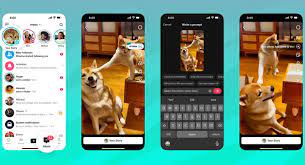

TikTok has become a powerhouse for AI-powered creative tools , and one of the most popular features among creators is AI Alive . This fun and interactive feature allows you to bring characters, avatars, and even AI-generated personas to life — all within the TikTok app.
1. What Is AI Alive on TikTok?
AI Alive is an AI-powered effect available in TikTok’s Green Screen category. It uses advanced face-tracking and animation technology to turn images — like anime characters, celebrities, or even your pet — into talking, moving avatars that follow your facial expressions and voice.
It’s perfect for:
- Creating animated avatars
- Giving life to digital art
- Making funny or engaging character videos
- Going viral with unique AI-generated content
2. How to Find and Use AI Alive on TikTok
Step-by-Step Guide:
- Open the TikTok app
- Tap the “+” button to start creating a video
- Under the Effects section, tap the search bar
- Type “AI Alive”
- Choose from various AI Alive templates or upload your own image
Pro Tip: Look for the “AI Alive – Talking Avatar” or “AI Alive – Face Rig” effects created by top-effect developers like @aialivebot.
3. Upload Your Own Image to AI Alive
Want to animate your own photo or artwork? Here’s how:
Steps:
- Select the AI Alive effect
- Tap “Upload Photo”
- Choose an image with a clear face (best results with front-facing portraits)
- Adjust positioning if needed
- Record your video — talk, smile, or move your head to animate the image!
The AI will map your facial movements onto the uploaded image in real time.
Final Thoughts
Using AI Alive on TikTok opens up a world of creative possibilities. Whether you’re turning your selfies into cartoon versions, animating fan art, or building a virtual persona, this tool helps you stand out in the crowded TikTok space.
Ready to go viral? Start experimenting with AI Alive today — your next big hit could be just one upload away.
Frequently Asked Questions (FAQs)
Q: Is AI Alive free on TikTok?
A: Yes! The AI Alive effect is free and available to all TikTok users through the Effects menu.
Q: Can I use AI Alive on any image?
A: Best results come from clear, front-facing images. Avoid complex backgrounds or side profiles for smoother animation.
Q: Why isn’t AI Alive working on my TikTok?
A: Make sure your app is updated to the latest version. Some effects may not appear depending on your region or device compatibility.