

Artificial Intelligence is transforming the way we manage projects. Whether you’re leading a small team or overseeing complex enterprise initiatives, learning how to use AI for project management can help you:
- Automate repetitive tasks
- Improve scheduling and resource allocation
- Enhance risk prediction and decision-making
- Streamline communication and reporting
- Keep your team aligned and on track
1. Automate Task Creation & Assignment
What it does:
AI-powered tools can analyze past projects and automatically create tasks, assign them to the right team members, and set realistic deadlines.
How to use it:
- Use platforms like:
- ClickUp AI – Auto-generates tasks, summaries, and action items.
- Asana + AI Integrations – Smart task suggestions based on workflows.
- Monday.com AI Assistant – Helps build workflows and automate actions.
📌 Best for: Reducing manual planning time and improving accuracy in task delegation.
2. Predict Risks & Delays with AI Insights
What it does:
AI analyzes historical data and current project progress to identify potential risks like missed deadlines, budget overruns, or bottlenecks.
How to use it:
- Use tools like:
- Wrike with Predictive Analytics – Forecasts delays and suggests adjustments.
- Smartsheet AI – Flags issues before they become problems.
- ChatGPT / Gemini – Ask:”Based on our current timeline, are we at risk of missing our deadline?”
📝 Tip: Use AI to run “what-if” scenarios and adjust plans proactively.
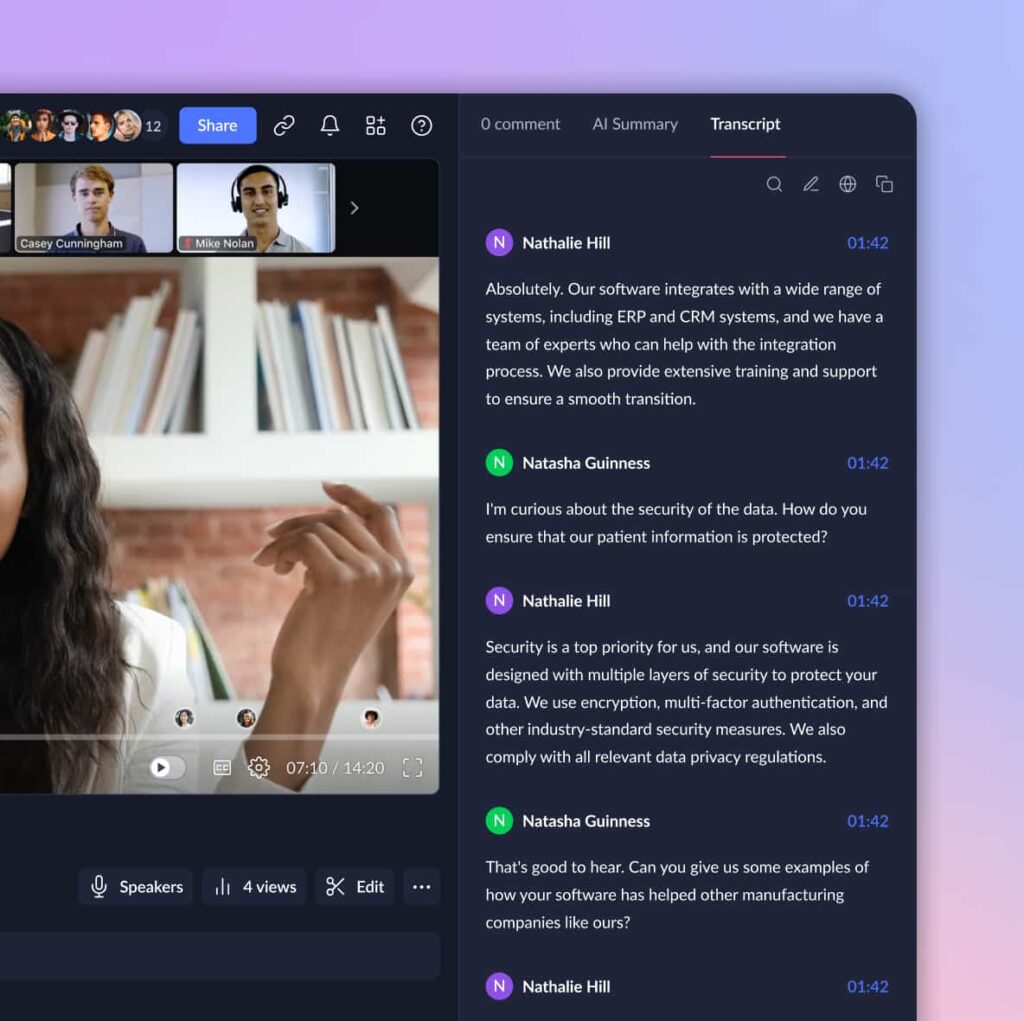
3. Generate Meeting Notes & Action Items Automatically
What it does:
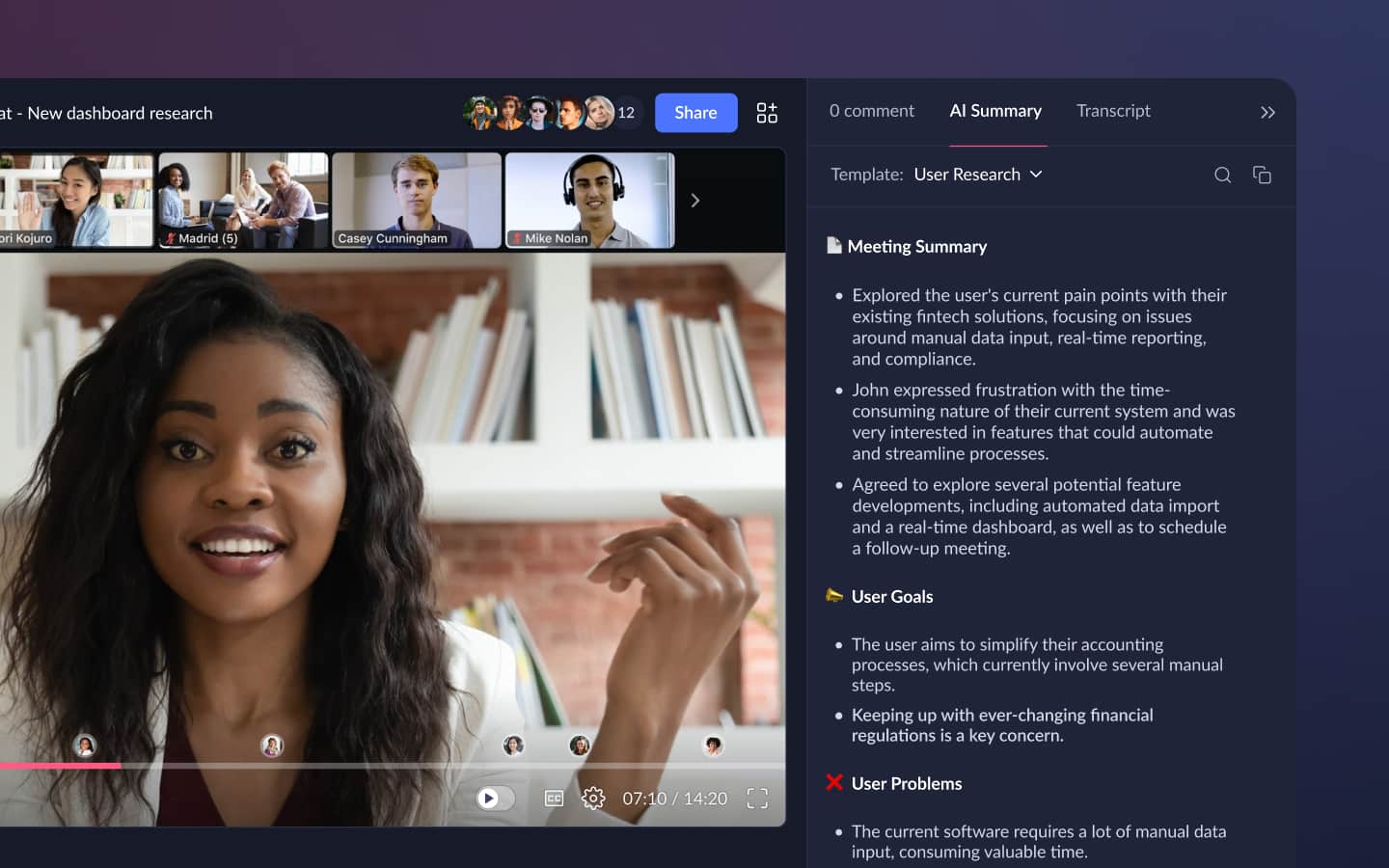
AI listens to your meetings and generates notes, summaries, and action items without anyone manually taking notes.
How to use it:
- Use tools like:
- Otter.ai – Records and transcribes meetings, highlights key points.
- Descript – Edit meeting recordings like text and pull out important insights.
- Zoom + AI Summary Add-ons – Get automatic meeting recaps after calls.
💡 Bonus: Some tools even tag who said what and assign follow-up tasks.
4. Improve Team Communication with AI Assistants
What it does:
AI helps streamline communication by summarizing long messages, drafting responses, and translating conversations in real-time.
How to use it:
- Use tools like:
- ChatGPT / Gemini – Summarize long Slack threads or emails.
- Grammarly – Improve clarity and tone in written communication.
- Microsoft Teams AI Features – Smart replies, meeting summaries, and voice transcription.
📌 Best for: Remote teams, multilingual groups, and busy project managers.
5. Track Progress & Generate Reports with AI Dashboards
What it does:
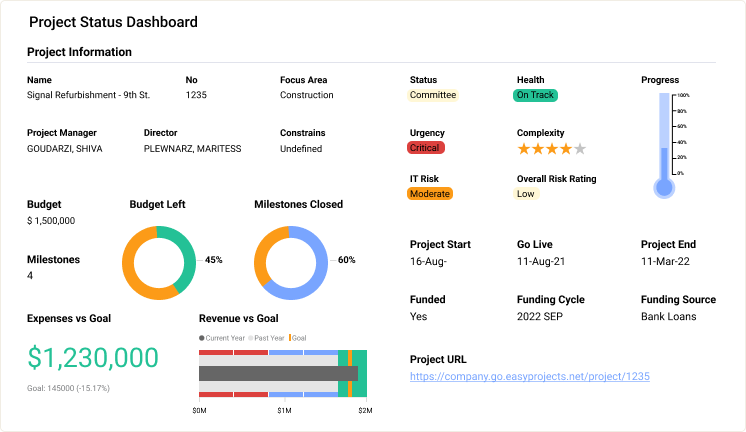
AI-powered dashboards update in real-time and generate reports based on your project data—no manual compiling required.
How to use it:
- Use platforms like:
- Trello + Butler AI – Automate board updates and report generation.
- Notion AI – Summarize documents, track goals, and draft reports.
- Power BI + AI Insights – Visualize trends and make data-driven decisions.
💡 Tip: Set up AI alerts for overdue tasks or milestones approaching.
6. Create Realistic Timelines & Gantt Charts Faster
What it does:
AI helps you build accurate project timelines by analyzing similar past projects and suggesting optimal durations and dependencies.
How to use it:
- Use tools like:
- ClickUp AI Timeline Generator
- Lucidchart + AI Flowcharts – Create visual project plans instantly.
- ChatGPT – Ask:”Build a Gantt chart for a website redesign project over 8 weeks.”
📊 Final Tips for Using AI in Project Management
- Start with one AI feature—like automated note-taking or smart task assignment—and expand from there.
- Combine AI insights with human judgment for better decision-making.
- Train your team to use AI tools together for smoother adoption.
- Always verify AI-generated content before sharing it with stakeholders.
- Stay updated—new AI features are being added to project management tools regularly.
🔧 Popular AI Tools for Project Managers
| Tool | What It Does |
|---|---|
| ClickUp AI | Generates tasks, summaries, timelines, and meeting notes |
| Notion AI | Drafts reports, organizes notes, and automates workflows |
| Otter.ai | Transcribes meetings and highlights action items |
| Wrike AI | Risk analysis, workload balancing, and forecasting |
| Zapier / Make.com | Automate repetitive actions between apps |
| ChatGPT / Gemini | Brainstorming, writing, and problem-solving |
| Asana + AI Integrations | Smart task suggestions and status updates |
📌 Tip: Many tools offer free trials—test before committing.
❓ Frequently Asked Questions (FAQs)
Q1: Do I need technical skills to use AI for project management?
A: No! Most AI tools for project management are designed for non-tech users and integrate directly into your existing software.
Q2: Are there free AI tools for managing projects?
A: Yes! Tools like ChatGPT (Free Tier) , Canva AI , Otter.ai Free Plan , and Notion AI offer valuable features at no cost.
Q3: Can AI replace project managers?
A: No. AI enhances efficiency but still requires human leadership for strategy, team motivation, and decision-making.
Want more tips on using AI for project management and team productivity? Subscribe to our newsletter and get weekly updates delivered straight to your inbox!